Slider95
A continuous or stepped value control with a classic track and thumb.
Slider95 keeps SwiftUI value binding and accessibility adjustment while drawing a Windows 95-inspired control.
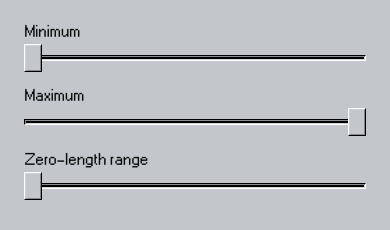
Use it
import Swift95
import SwiftUI

struct Slider95Example: View {
  var body: some View {
    VStack(alignment: .leading, spacing: 16) {
      Slider95(value: .constant(0.0), in: 0...1) {
        Text("Minimum")
      }
      Slider95(value: .constant(1.0), in: 0...1) {
        Text("Maximum")
      }
      Slider95(value: .constant(0.0), in: 0...0) {
        Text("Zero-length range")
      }
    }
  }
}
Essential behavior
ValuesSupports BinaryFloatingPoint bindings, ranges, and optional steps.
AccessibilityExposes adjustable semantics through the embedded native slider.
StateThe track, thumb, label, and disabled treatment use Theme95 tokens.