ScrollIndicator95
A standalone classic vertical scroll track, thumb, and line controls.
ScrollIndicator95 is for custom scrolling surfaces that already own a content-coordinate offset.
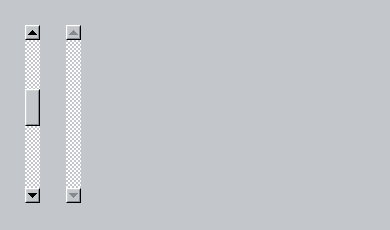
Use it
import Swift95
import SwiftUI

struct ScrollIndicator95Example: View {
  var body: some View {
    HStack(alignment: .top, spacing: 24) {
      ScrollIndicator95(
        contentOffset: .constant(240),
        contentLength: 720,
        viewportLength: 180,
        lineIncrement: 24
      )
      .frame(height: 180)

      ScrollIndicator95(
        contentOffset: .constant(0),
        contentLength: 100,
        viewportLength: 180
      )
      .frame(height: 180)
    }
  }
}
Essential behavior
OffsetThe binding is measured in content coordinates and clamped to the valid scrollable range.
ThumbContent and viewport lengths determine the thumb’s size and position.
UsePrefer ScrollView95 or List95 unless building a custom scrolling host.